Permissions Manager API
Read connected applications, consent activity, and revoke access
Overview
This page is provided as a reference for data partners already using the Plaid Permissions Manager API. New integrations should instead use the FDX-aligned Consent API, which models consent as an FDX consent grant, allowing you to build a single consent management integration serving multiple data access platforms.
If you are an existing Permissions Manager user interested in migrating, see Migrating from Permissions Manager to the Consent API.
The Permissions Manager API reports which Plaid-powered applications one of your customers has connected, which accounts and data types each application can read, and when each application last read them. It also lets you revoke an application's access.
It is the API behind a consumer-facing consent portal on your domain: the customer sees their connections and disconnects the ones they no longer want, and Plaid enforces that revocation across the ecosystem. Single-institution accounts can read the same data with no code in the Data Partner Dashboard, whose Permissions Manager tabs call these same endpoints; this page covers the API, which is available to every integration model, including platforms.
For conceptual background on authorization records and the webhooks that accompany these endpoints, see Consent management.
Authentication
Find your client_id and secret on the Developer > Keys tab of the Data Partner Dashboard. Include both as the PLAID-CLIENT-ID and PLAID-SECRET headers, or as client_id and secret in the request body. All requests must be made over HTTPS.
Customer identifiers and access tokens
Permissions Manager identifies a customer by an access_token, not by a customer identifier, so every integration starts with /item/import.
Use the same persistent, unique identifier you use as the sub claim in your OIDC ID token — see Unique user identifier (consistency key). Reusing an identifier across two customers merges their connections; changing it for an existing customer strands the connections recorded under the old one.
Because /item/import is idempotent, you can call it lazily the first time a customer opens your portal, batch it ahead of time, or call it again whenever you need the token.
Exchange a customer identifier for an access token
POST /item/import
Import Item
/item/import creates an Item for one of your customers and returns an access_token, which the other Permissions Manager endpoints take in place of a customer identifier. You supply your own identifier for the customer as user_auth.user_id.
The endpoint is idempotent and the access_token it returns is long-lived: repeated calls for the same user_auth.user_id return the same token.
Upon creating an Item via /item/import, Plaid will automatically begin an extraction of that Item through the data provider API endpoints you have already integrated.
Request fields
Your Plaid API client_id. The client_id is required and may be provided either in the PLAID-CLIENT-ID header or as part of a request body.
Your Plaid API secret. The secret is required and may be provided either in the PLAID-SECRET header or as part of a request body.
The Plaid Institution ID associated with the Item. Most callers omit this field; Plaid resolves your institution automatically. If your organization has multiple institutions, contact Plaid to determine whether you should send it.
Object of user ID and auth token pair, permitting Plaid to aggregate a user's accounts
Your persistent, unique identifier for the customer.
curl -X POST 'https://production.plaid.com/item/import' \
  -H 'Content-Type: application/json' \
  -d '{
    "client_id": "<client_id>",
    "secret": "<secret>",
    "user_auth": {
      "user_id": "<user_id>"
    }
}'Response fields
The access token associated with the Item for which data is being requested.
A unique identifier for the request, which can be used for troubleshooting. This identifier, like all Plaid identifiers, is case sensitive.
{
  "access_token": "access-sandbox-99ace160-3cf7-4e51-a083-403633425815",
  "request_id": "ewIBAn6RZirsk4W"
}
Endpoints
| Endpoint | Functionality |
|---|---|
/item/import | Exchange your customer identifier for an access token |
/item/application/list | List connected and disconnected applications, with their scopes |
/item/activity/list | Read consent activity history and per-scope last-access times |
/item/application/unlink | Revoke an application's access to a customer's data |
/sandbox/item/application/seed | Sandbox only: connect a demo application to a customer |
List a customer's connected applications
POST /item/application/list
Call this each time a customer opens your portal rather than serving a cached copy, so that revocations made elsewhere in the ecosystem are reflected immediately.
The response separates applications, which the customer has authorized, from disconnected_applications, which they authorized and later revoked. Render disconnected applications as history: they carry no scopes or created_at, because there is no longer any access to describe.
Parse created_at permissively. Depending on when your integration was set up, it arrives either as an ISO 8601 datetime (2020-01-01T00:00:00Z) or as a date alone (2020-01-01).
List a user's connected applications
List a user's connected applications
Request fields
Your Plaid API client_id. The client_id is required and may be provided either in the PLAID-CLIENT-ID header or as part of a request body.
Your Plaid API secret. The secret is required and may be provided either in the PLAID-SECRET header or as part of a request body.
The access token associated with the Item for which data is being requested.
curl -X POST 'https://production.plaid.com/item/application/list' \
  -H 'Content-Type: application/json' \
  -d '{
    "client_id": "<client_id>",
    "secret": "<secret>",
    "access_token": "<access_token>"
}'Response fields
A unique identifier for the request, which can be used for troubleshooting. This identifier, like all Plaid identifiers, is case sensitive.
A list of connected applications.
This field will map to the application ID that is returned from /item/application/list, or provided to the institution in an oauth redirect.
The name of the application
A human-readable name of the application for display purposes
A URL that links to the application logo image.
The URL for the application's website
A string provided by the connected app stating why they use their respective enabled products.
The date and time this application was linked, in ISO 8601 format in UTC (e.g. "2020-01-01T00:00:00Z"). Note that older, legacy integrations instead receive this value as a date only, in YYYY-MM-DD format (e.g. "2020-01-01").
date-time The scopes object
The product access being requested. Used to allow or disallow product access across all accounts. If unset, defaults to all products allowed.
Allow access to statements. Only used by certain partners. If relevant to the partner and unset, defaults to true.
true Allow access to the Identity product (name, email, phone, address). Only used by certain partners. If relevant to the partner and unset, defaults to true.
true Allow access to account number details. Only used by certain partners. If relevant to the partner and unset, defaults to true.
true Allow access to transaction details. Only used by certain partners. If relevant to the partner and unset, defaults to true.
true Allow access to accounts_details_transactions. Only used by certain partners. If relevant to the partner and unset, defaults to true.
true Allow access to accounts_routing_number. Only used by certain partners. If relevant to the partner and unset, defaults to true.
true Allow access to accounts_statements. Only used by certain partners. If relevant to the partner and unset, defaults to true.
true Allow access to accounts_tax_statements. Only used by certain partners. If relevant to the partner and unset, defaults to true.
true Allow access to customers_profiles. Only used by certain partners. If relevant to the partner and unset, defaults to true.
true The unique account identifier for this account. This value must match that returned by the data access API for this account.
Allow the application to see this account (and associated details, including balance) in the list of accounts. If unset, defaults to true.
true Allow the application to access specific products on this account
Allow the application to access account data. Only used by certain partners. If relevant to the partner and unset, defaults to true.
true Allow the application to access bank statements. Only used by certain partners. If relevant to the partner and unset, defaults to true.
true Allow the application to access tax documents. Only used by certain partners. If relevant to the partner and unset, defaults to true.
true Allow access to newly opened accounts as they are opened. If unset, defaults to true.
true A list of applications that the user previously connected and has since disconnected. Disconnected applications carry no scopes or created_at, since the user has revoked their access.
This field will map to the application ID that is returned from /item/application/list, or provided to the institution in an oauth redirect.
The name of the application
A human-readable name of the application for display purposes
A URL that links to the application logo image.
The URL for the application's website
A string provided by the connected app stating why they use their respective enabled products.
{
  "applications": [
    {
      "application_id": "c048eab9-a70a-42fe-94e9-35980d0a965c",
      "name": "Big FinTech App",
      "display_name": "Big FinTech",
      "logo_url": "https://plaid.com/images/1",
      "application_url": "https://bigfintechapp.com",
      "reason_for_access": "to display your balances",
      "created_at": "2019-07-16T19:20:00Z",
      "scopes": {
        "product_access": {
          "account_balance_info": true,
          "account_routing_number": true,
          "transactions": false
        },
        "accounts": [
          {
            "unique_id": "4a94ed625e7c",
            "authorized": true
          },
          {
            "unique_id": "6068084d3aab",
            "authorized": false
          }
        ],
        "new_accounts": true
      }
    }
  ],
  "disconnected_applications": [
    {
      "application_id": "d348deb9-a70a-67fe-52b9-35980d0a965c",
      "name": "Another FinTech App",
      "display_name": "Another FinTech",
      "logo_url": "https://plaid.com/images/2",
      "application_url": "https://anotherfintechapp.com",
      "reason_for_access": "to display your balances"
    }
  ],
  "request_id": "m8MDnv9okwxFNBV"
}
Reading the scopes object
scopes.product_access maps a data type to whether the customer authorized it. The keys that can appear are:
| Key | Includes |
|---|---|
account_balance_info | Account name, type, description, balances, and masked account number |
contact_info | Account owner name, email, phone, and address |
account_routing_number | Account and routing numbers |
transactions | Transaction amounts, dates, descriptions, and categories, and derived insights |
credit_loan_info | Balances, payment dates and amounts due, credit limits, rates, and loan terms |
investments | Securities details, quantities, prices, and investment transactions |
bank_statements | PDF statements |
Only the data types an application requested appear, so treat a missing key as "not authorized" rather than as an error. Applications built on Plaid products outside this set can introduce further keys, so parse product_access as a map rather than a fixed struct.
If you integrated before June 2024, your product_access keys may use different field names than the ones in the table above. Contact your Plaid solutions engineering team if you'd like to migrate to the new field names.
scopes.accounts lists the customer's accounts by unique_id — the same account identifier your FDX API returns — each with whether the application may read it. new_accounts reports whether accounts the customer opens later are included automatically. An empty accounts array on a long-standing connection means the customer authorized every available account; those connections predate per-account selection.
Where you scope data types per account rather than per connection, each account also carries account_product_access, keyed by the per-account scopes configured for your integration.
Read consent activity and last access times
POST /item/activity/list
/item/activity/list is the audit view of your portal: what happened to a customer's connections, and when each application last read their data. Results are paginated: pass count to size a page and the cursor from the previous response to fetch the next one. An omitted cursor in the response means you have reached the end.
List a historical log of user consent events
List a historical log of user consent events
Request fields
Your Plaid API client_id. The client_id is required and may be provided either in the PLAID-CLIENT-ID header or as part of a request body.
Your Plaid API secret. The secret is required and may be provided either in the PLAID-SECRET header or as part of a request body.
The access token associated with the Item for which data is being requested.
Cursor used for pagination.
curl -X POST 'https://production.plaid.com/item/activity/list' \
  -H 'Content-Type: application/json' \
  -d '{
    "client_id": "<client_id>",
    "secret": "<secret>",
    "access_token": "<access_token>"
  }'
Each entry in activities records one event. activity is the event type, initiated_date is when it happened, state is its outcome, initiator identifies who caused it, and target_application_id names the application it acted on:
| activity | Recorded when |
|---|---|
ITEM_CREATE | The customer connected an application |
ITEM_IMPORT | You called /item/import for the customer |
ITEM_UPDATE | An existing connection was reauthorized or its scopes changed |
ITEM_UNLINK | An application's access ended, including through /item/application/unlink |
PORTAL_UNLINK | The customer disconnected an application in Plaid Portal |
PORTAL_ITEMS_DELETE | The customer deleted their data in Plaid Portal |
ITEM_REMOVE | The connected application removed the connection on its own side |
SCOPES_UPDATE | The scopes on a connection were updated |
last_data_access_times holds one object per application, keyed by application_id, with a timestamp for every product_access scope except bank_statements. A null timestamp means the application has never read that data type. This is the field to show a customer who wants to know whether an app they authorized months ago is still reading their accounts.
If you integrated before June 2024, your last_data_access_times object may use different field names than the ones above, and may also include payroll_info and transaction_risk_info, which are deprecated. Contact your Plaid solutions engineering team if you'd like to migrate to the new field names.
Revoke an application's access
POST /item/application/unlink
Call this endpoint as soon as a customer disconnects an application in your portal, one call per application, and never in a batch — Plaid revokes the application's access on receipt, and the delay before that call is time the application can still read data.
If you offer users the ability to revoke access, you must keep the ecosystem in sync:
- User revokes access on your domain: The customer visits your consent portal and disconnects an application
- Call
/item/application/unlink: Your system calls Plaid's revocation endpoint - Plaid notifies the application: Plaid sends the application a
USER_PERMISSION_REVOKEDwebhook - Plaid severs the connection: Plaid blocks the application from accessing data
- Application stops requesting data: The application knows the customer revoked access and stops making requests
Without step 2, the application keeps its access and your portal shows a disconnection that never took effect.
A customer who wants the application again has to go through your OAuth flow from the start; there is no way to restore a revoked connection.
Unlink a user's connected application
Unlink a user's connected application. On an unlink request, Plaid will immediately revoke the Application's access to the User's data. The User will have to redo the OAuth authentication process in order to restore functionality.
This endpoint only removes ongoing data access permissions, therefore the User will need to reach out to the Application itself in order to disable and delete their account and delete any data that the Application already received (if the Application does not do so by default).
This endpoint should be called in real time as the User is unlinking an Application, and should not be batched in order to ensure that the change is reflected as soon as possible.
Request fields
Your Plaid API client_id. The client_id is required and may be provided either in the PLAID-CLIENT-ID header or as part of a request body.
Your Plaid API secret. The secret is required and may be provided either in the PLAID-SECRET header or as part of a request body.
The access token associated with the Item for which data is being requested.
This field will map to the application ID that is returned from /item/application/list, or provided to the institution in an oauth redirect.
curl -X POST 'https://production.plaid.com/item/application/unlink' \
  -H 'Content-Type: application/json' \
  -d '{
    "client_id": "<client_id>",
    "secret": "<secret>",
    "access_token": "<access_token>",
    "application_id": "<application_id>"
}'Response fields
A unique identifier for the request, which can be used for troubleshooting. This identifier, like all Plaid identifiers, is case sensitive.
{
  "request_id": "m8MDnv9okwxFNBV"
}
Webhooks
Plaid can optionally send webhooks to you when authorization events occur. They are independent of which API you read with. Single-institution accounts can configure them in the Data Partner Dashboard via the Developers > Webhooks page. Platform accounts should reach out to your Plaid contact to have these enabled.
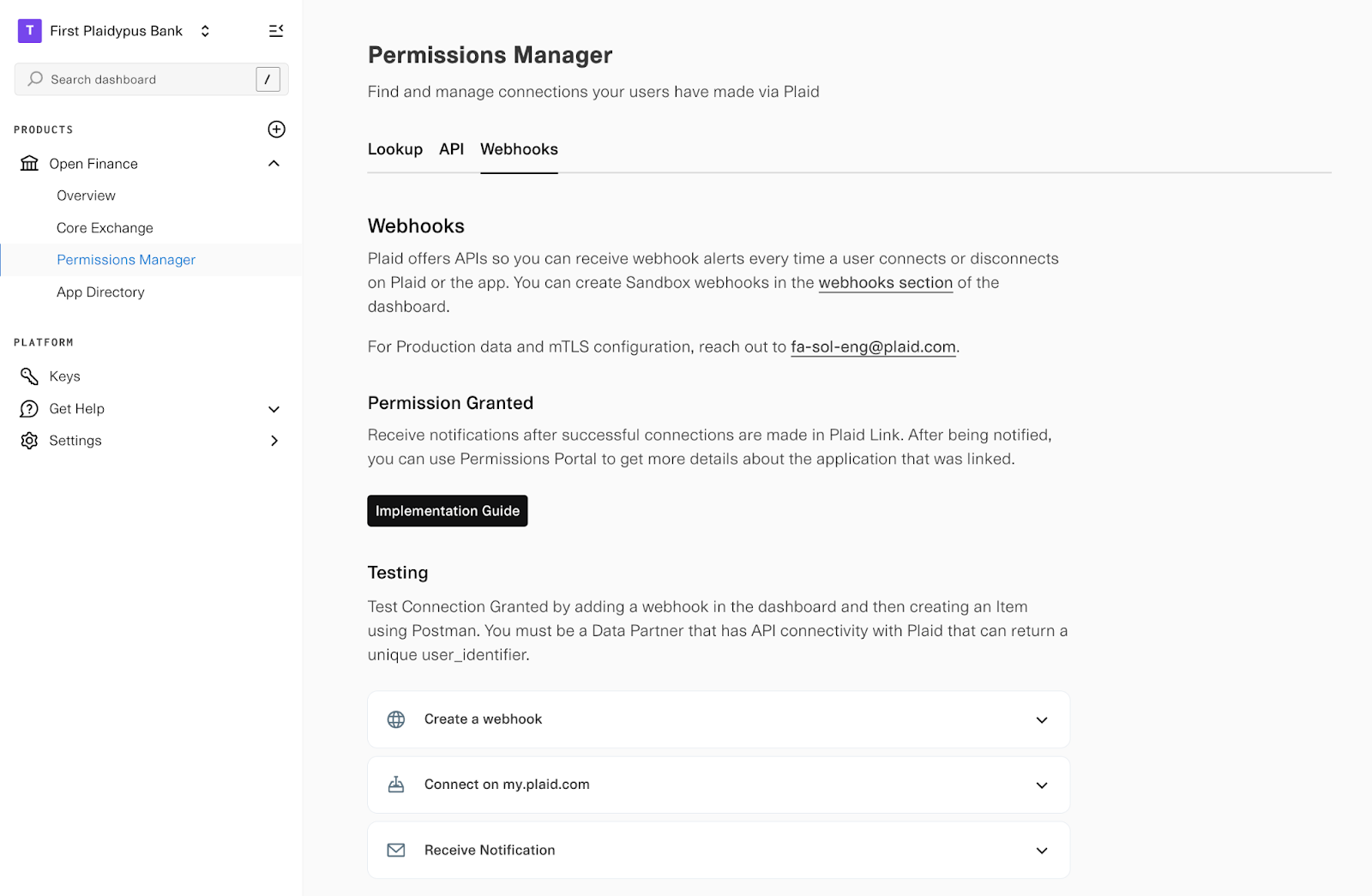
Plaid sends two webhooks: AUTHORIZATION_GRANTED and CONSENT_REVOKED. For the payload shape and full examples, see Webhooks on the Consent API reference.
AUTHORIZATION_GRANTED
Notifies you every time a customer connects a new application via Plaid. While your system will already know about new OAuth authorizations, this webhook also alerts you to connections created via the returning user experience, where the customer never goes through your OAuth flow and this webhook is your only real-time signal that a new connection was created.
When it fires: After a customer successfully authorizes a new application.
Payload includes: The customer (user_identifier) and application details (application_id, application_name).
What to do: Record the new connection. The webhook identifies the customer and the application, but not the accounts or data types they authorized, so treat it as a signal to call /item/application/list for the full set of scopes. If you offer a consent portal, display this new connection so customers can view and manage it.
CONSENT_REVOKED
Notifies you when a customer revokes an application's access, either through the application itself or via my.plaid.com (Plaid Portal). If you offer a consent portal, you need this webhook to catch the revocations that happen elsewhere; otherwise your portal will drift out of sync when customers disconnect through my.plaid.com or the application itself instead of through you.
When it fires: After a customer or application revokes authorization.
Payload includes: The customer (user_identifier), application details, and who initiated the revocation (initiator: DATA_ACCESS_PLATFORM, INDIVIDUAL, or DATA_RECIPIENT).
What to do: Mark the connection revoked in your own records and update your portal. Revocations that happen in Plaid Portal or in the application itself also land in /item/activity/list as PORTAL_UNLINK and ITEM_REMOVE entries.
Best practices
- Call
/item/application/unlinkas soon as a customer disconnects an application, to keep the ecosystem in sync during revocations - Implement the
CONSENT_REVOKEDwebhook if you offer a consent portal - Set refresh token expiration to 13+ months (allows buffer for reauthorization)
- Direct users to my.plaid.com for self-service connection management
Testing in Sandbox
Point the same calls at sandbox.plaid.com with your Sandbox secret. /item/import returns a working Sandbox access token, and /item/application/list and /item/activity/list return fixture data for demo applications, so you can build and test your portal's rendering before you have live connections.
That fixture data is static: unlinking a demo application does not change what /item/application/list returns. To exercise the state changes instead, use dynamic Sandbox, which is enabled for most clients: connect a demo app, see it appear in /item/application/list, unlink it, and see it move to disconnected_applications. /sandbox/item/application/seed connects a demo application to a customer, standing in for a customer completing your OAuth flow. If it returns 403 SANDBOX_SEEDING_NOT_ENABLED, dynamic Sandbox is off for your client — ask your Plaid solutions engineering team to enable it. /item/activity/list always serves its fixture in Sandbox, dynamic Sandbox or not, so you can build your portal's activity view against it, but you won't see real activity until Production.
POST /sandbox/item/application/seed
Seed a connected application for a Permissions Manager sandbox item
/sandbox/item/application/seed creates a test connected application on an existing Permissions Manager Item's login. The seeded application will appear in subsequent calls to /item/application/list.
The access_token must belong to a Permissions Manager Item created via /item/import in Sandbox. The application_id identifies the application to seed as a connected app. To disconnect a seeded application, use /item/application/unlink.
Request fields
Your Plaid API client_id. The client_id is required and may be provided either in the PLAID-CLIENT-ID header or as part of a request body.
Your Plaid API secret. The secret is required and may be provided either in the PLAID-SECRET header or as part of a request body.
The access token associated with the Item for which data is being requested.
This field will map to the application ID that is returned from /item/application/list, or provided to the institution in an oauth redirect.
curl -X POST 'https://sandbox.plaid.com/sandbox/item/application/seed' \
  -H 'Content-Type: application/json' \
  -d '{
    "client_id": "<client_id>",
    "secret": "<sandbox_secret>",
    "access_token": "<access_token>",
    "application_id": "c048eab9-a70a-42fe-94e9-35980d0a965c"
}'Response fields
The item_id of the newly seeded item representing the application connection.
A unique identifier for the request, which can be used for troubleshooting. This identifier, like all Plaid identifiers, is case sensitive.
{
  "item_id": "9xGbdRaG3gianaxoELGpILQ7drV3RnclMGdKJ",
  "request_id": "m8MDnv9okwxFNBV"
}
Plaid provides three demo applications to connect:
| Demo application | application_id |
|---|---|
| Budget Works | c048eab9-a70a-42fe-94e9-35980d0a965c |
| Incremental Investing | 36b78a27-ebbb-417b-a7b7-351734d2f8bd |
| My Peer Payer | 3f952a96-b6f9-4f09-a1f7-1a474cb128f6 |
Errors
These endpoints return Plaid's standard error object (error_type, error_code, error_message, display_message, request_id). Log request_id when you encounter an error to speed up troubleshooting with Plaid.
| Status | error_code | Returned when |
|---|---|---|
| 400 | MISSING_FIELDS | A required field is absent from the request body |
| 400 | INVALID_USER_AUTH | user_auth.user_id is missing or is not a non-empty string |
| 400 | ITEM_NOT_CREATED_BY_ITEM_IMPORT | The access_token belongs to an Item created some other way than /item/import |
| 400 | ITEM_IMPORT_INACTIVE_ACCESS_TOKEN | The access_token is no longer active |
| 400 | FI_PARTNER_INSTITUTION_NOT_SET_UP | Your institution is not configured for Permissions Manager — contact your Plaid solutions engineering team |
| 404 | CONNECTED_APPLICATION_NOT_FOUND | The application_id and access_token pair has no active connection |
| 404 | NO_CONNECTED_APPLICATIONS | The customer has no connections, for the older integrations that receive a 404 for this rather than a 200 |
A customer with no connections is a normal state, not a failure: /item/application/list returns 200 with an empty applications array. If you integrated before February 2022, you may receive 404 NO_CONNECTED_APPLICATIONS instead; render either as an empty portal.
Unlinking an application whose access has already ended returns 204 with APPLICATION_ALREADY_UNLINKED. Treat it as success — the revocation you asked for is already in effect — which makes retries safe.