Permissions & App Directory
Manage user consent and view connected applications
Overview
After completing your Core Exchange integration, Plaid offers additional tools to help you understand how your data is being accessed.
- Permissions Manager lets you look up authorization details for your customers' connections, view API documentation, and configure webhooks for real-time alerts when customers connect or disconnect.
- App Directory shows which Plaid-powered applications your customers are connected to, including app categories and connection counts.
These features are not required for launch but are recommended for monitoring connections and staying informed about how your customers interact with Plaid-powered applications.
How you access these features depends on your account type:
- Single-institution accounts: Permissions Manager and App Directory are available as no-code features in the Data Partner Dashboard.
- Platform accounts (multi-institution): Permissions Manager and App Directory are available via API only — there is no Dashboard UI for platforms today. You'll need to integrate the Permissions Manager APIs to use these features.
Permissions Manager
The Permissions Manager allows you to:
- Search by customer to view authorization details of their connections
- View detailed API docs
- Set up webhooks to get real-time alerts each time a customer connects to or revokes access from a new application
Dashboard access (single institution only)
For single-institution accounts, the Permissions Manager is available directly in the Dashboard with no API integration needed.


Webhooks
Configure webhooks to receive real-time notifications when authorization events occur, such as when a customer connects a new application or revokes access. Common use cases include maintaining audit trails, triggering internal workflows, and powering a customer-facing consent portal.

For more details on webhook events and consent management, see Consent management.
API access (all integration models)
For platform accounts or automated workflows, integrate with the Permissions Manager APIs to programmatically access authorization records. For more details, see Consent management.
App Directory
The App Directory displays details about the apps your customers are connected to, including categories and the number of connections. You can also view additional resources for the App Directory's FDX-aligned API.
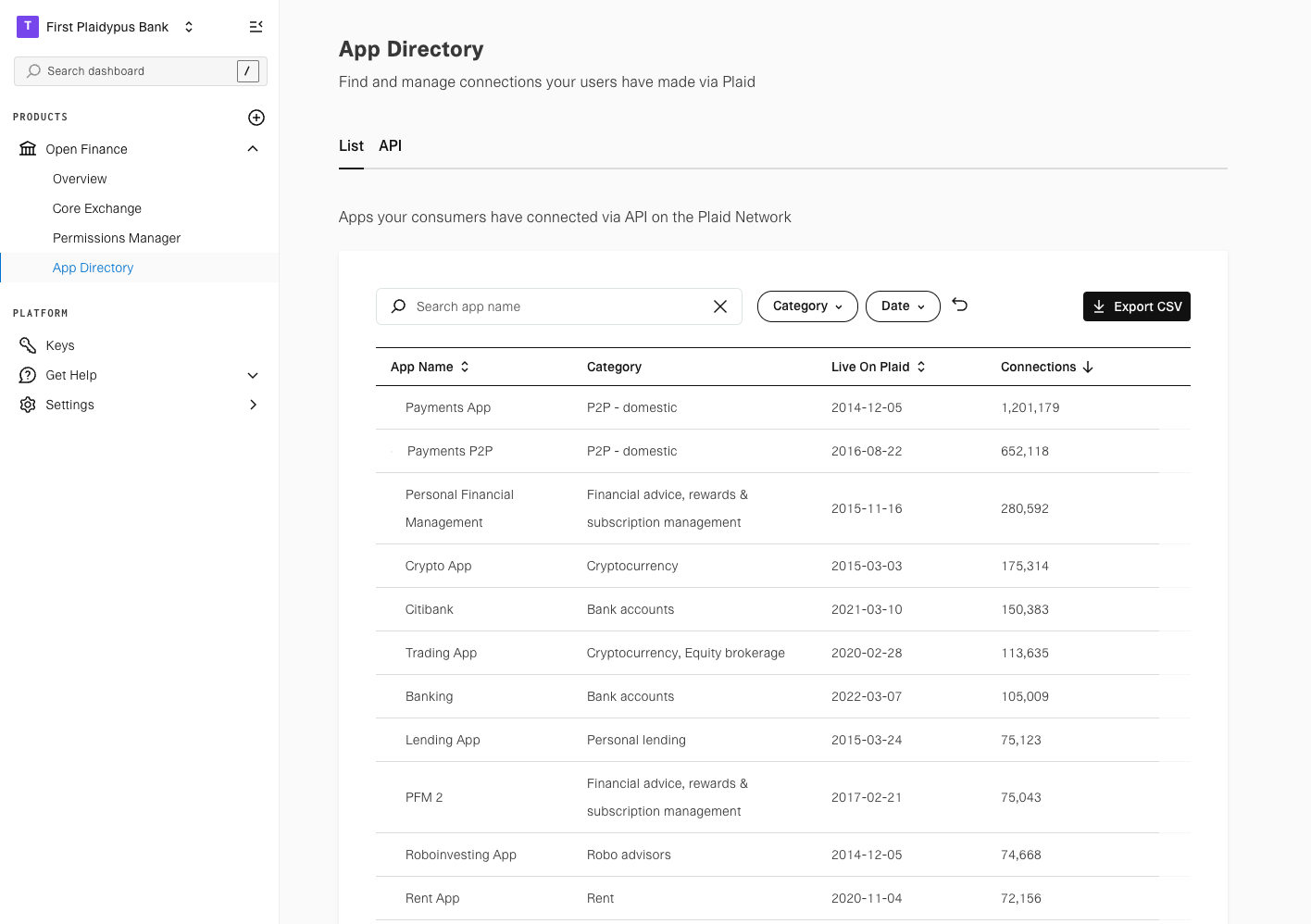
Note: For single-institution accounts, App Directory is accessible via the Dashboard. For platform accounts, no Dashboard UI is available and it is available via API only.