Payments Dashboard
Monitor payment activity, manage virtual accounts, and generate reports
The Payments Dashboard provides a centralized interface for monitoring payment activity, managing virtual accounts, and generating reconciliation reports. Access the dashboard at dashboard.plaid.com.
A link to the Payments Dashboard appears in the Dashboard navigation after you have applied for access to Payments in the Production environment.
Overview
The Payments Dashboard consists of two main sections for operational management:
Activity
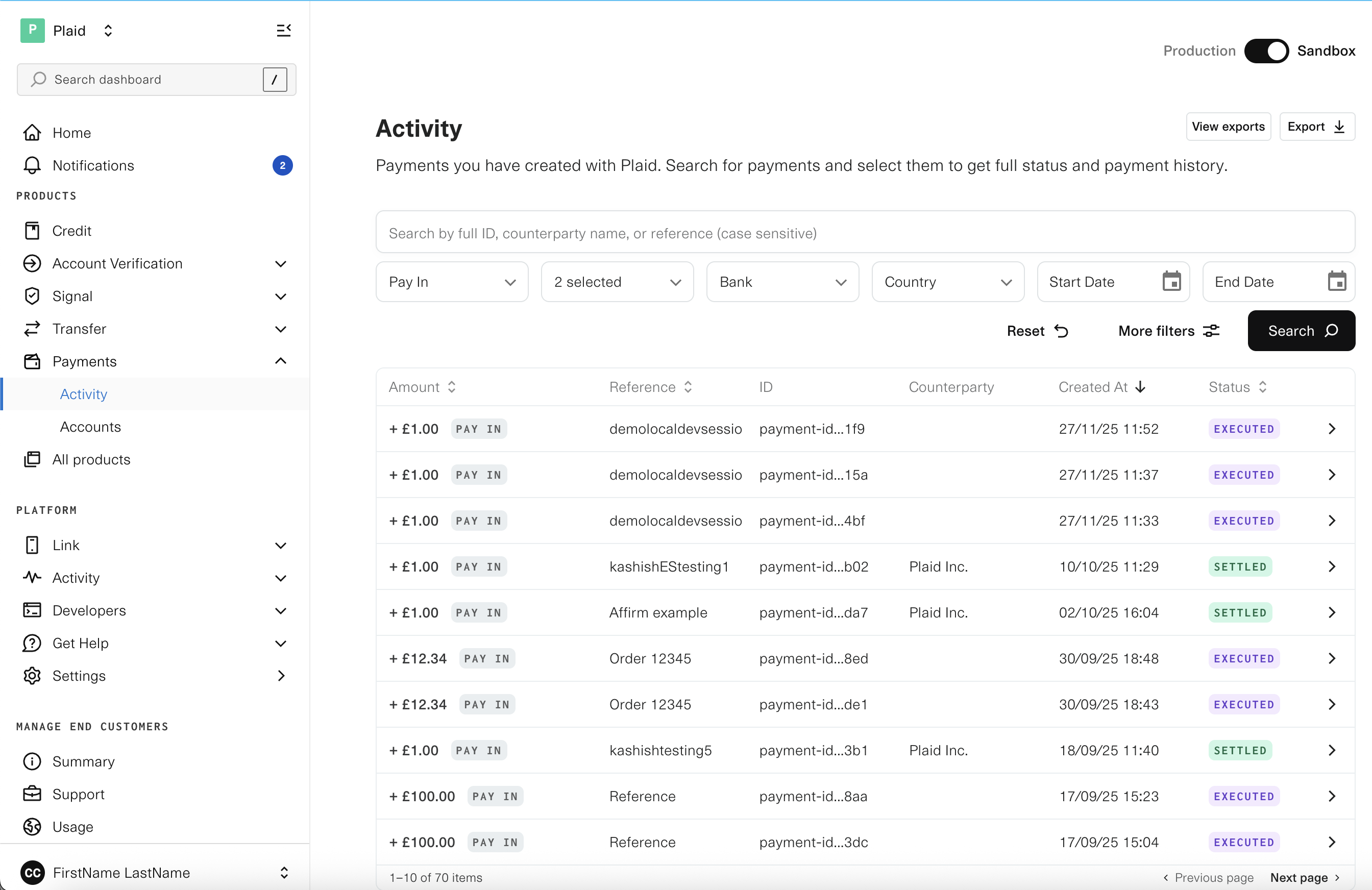
The Activity tab displays all payments created with Plaid, including one-time payments, Variable Recurring Payments (VRP), refunds, payouts, and sweeps. Use this view to:
- Search and filter payments by account, bank, country, payment type, status, and date range
- View payment status and history for each transaction
- Track settlement and understand payment lifecycles
- Investigate issues with individual payments
Accounts
The Accounts tab provides visibility into your virtual account wallets and associated balances. From this view, you can:
- Monitor current and available balances for each virtual account
- View account identifiers including account number and sort code
- Access the transaction ledger for each account
- Configure sweep settings and retrieve sweep reports
The Accounts tab is only available to customers using the Virtual Accounts product.
Payment details
Select any payment from the Activity tab to view details, including:
- Current and historical payment status with timestamped payment events
- Payment amount, currency, and reference information
- Counterparty details (sender and recipient)
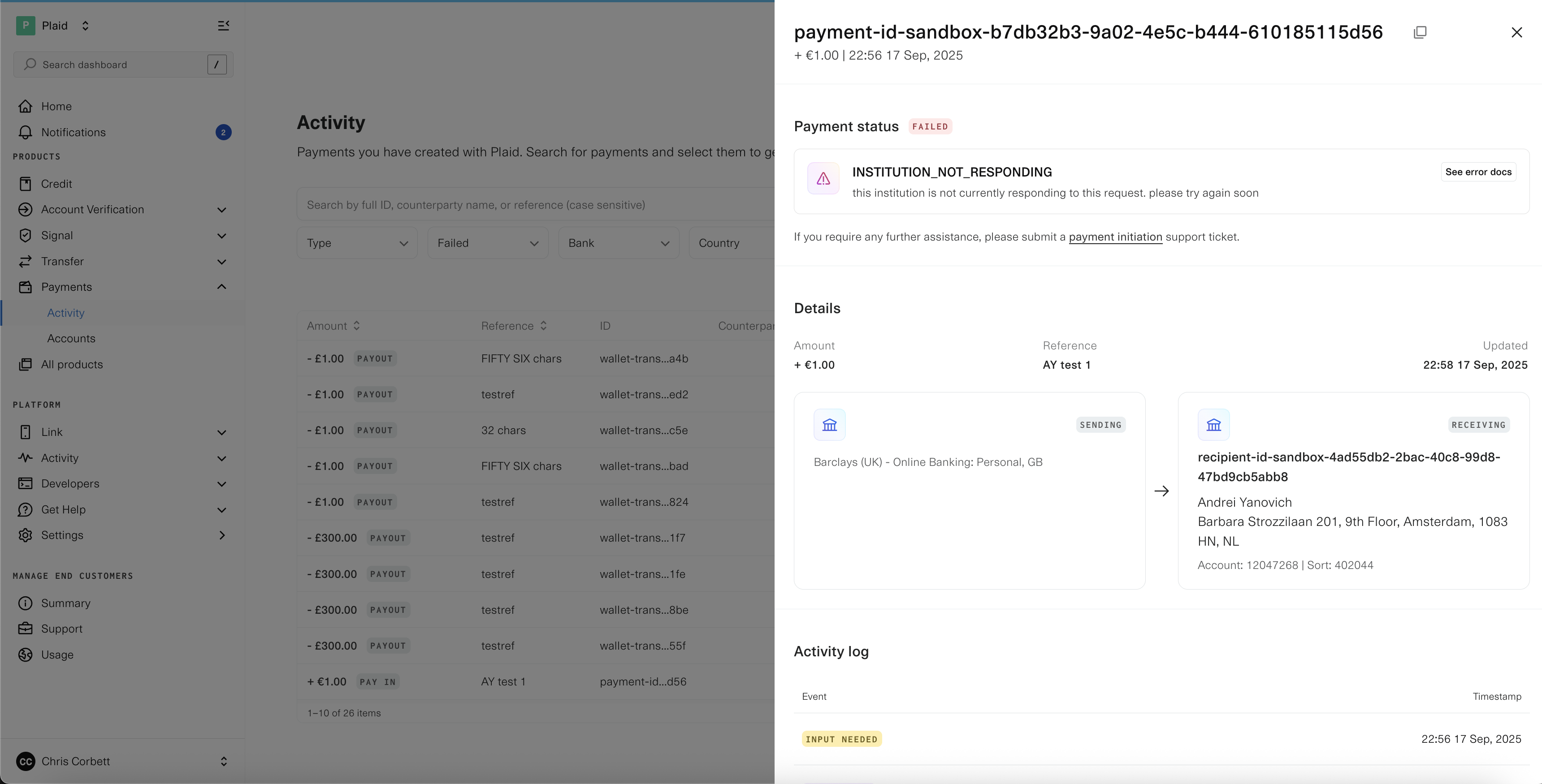
From the payment detail view, you can raise a support ticket directly if further assistance is required. For more information on payment status transitions and terminal states, see Payment Status.
Exporting reports
The Payments Dashboard provides CSV export functionality for reconciliation and reporting.
Payment Activity Report
Export a .csv report containing payment and sweep data from the Activity tab by clicking the "Export" button. You can also view previous exports by selecting "View exports".

Transaction Activity Report
For Virtual Accounts customers, the Transactions overview in the Accounts tab allows you to export transaction data for any virtual account as a CSV file. Similar to the Payment Activity Report, you can:
- Name your export and apply filters
- Select specific date ranges for transactions
- Access export history through "View exports"
Virtual Account management
The Accounts tab displays details for each of your virtual accounts, including:
- Unique wallet identifier (wallet ID)
- Current balance and available balance
- Account number and sort code (for applicable regions)
- Complete transaction ledger with filtering capabilities
Access detailed information about any virtual account by selecting it from the list. For more information on virtual account operations, see Managing your Virtual Account.
Sweep configuration
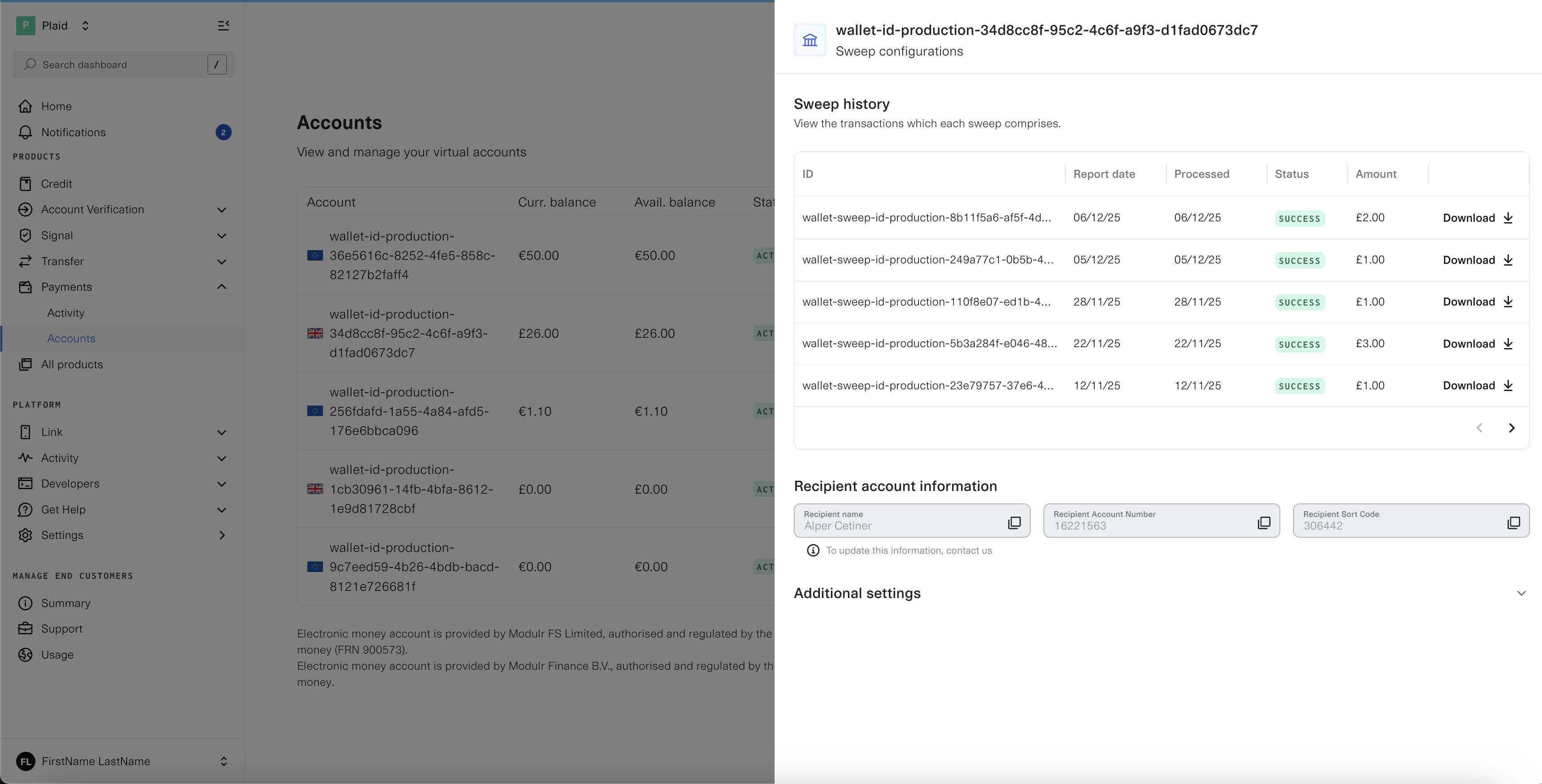
For virtual accounts with automated sweeps enabled, the Dashboard provides visibility into sweep operations:
Sweep history
View the complete sweep history for your virtual account, including:
- Date and time of each sweep execution
- Amount swept from the virtual account
- Status of each sweep operation
You can also download a CSV report detailing all transactions included in a specific sweep.
Sweep settings
Configure and monitor sweep parameters:
- Minimum balance: Set the minimum balance to maintain in the wallet after each sweep. This balance remains in the virtual account and is not included in automated sweeps.
- Recipient account: View the destination account information where funds are swept at the end of each day.
For detailed information on sweep functionality and configuration, see Account Sweeping.