Testing & validation
Test and validate your Core Exchange integration using the Validator
Overview
All testing is completed in the Data Partner Dashboard using the Validator. To access the Validator, open the Dashboard and navigate to the Validator section. Validation is required before production access can be enabled and is expected to be iterative.
Testing includes:
- Authentication testing (OAuth)
- Data aggregation testing (FDX endpoints)
Validation failures are normal early in the process. Most partners iterate several times before achieving full passing status.
Authentication testing (OAuth)
Authentication testing validates that Plaid can:
- Redirect users to your authorization flow
- Complete OAuth authentication, including MFA if applicable
- Exchange authorization codes for tokens
- Refresh access tokens successfully
Because users are redirected into your OAuth flow, early authentication errors may occur outside of Plaid's visibility. Detailed error information typically becomes available starting at the token exchange step. If issues arise, Plaid can work with you to investigate behavior and logs on both sides of the integration.
For a complete end-to-end OAuth flow with Core Exchange APIs, see FDX Explorer. Use the Validator below to validate your own integration.
Authentication can be validated by:
- Completing the OAuth flow with test credentials
- Supplying a valid access token directly, if supported
The Dashboard is optimized for OIDC-based configurations, but OIDC is not required. Plaid can manually configure OAuth-only integrations if needed.
Data endpoint validation (FDX)
Data validation confirms that Plaid can reliably retrieve user data after authentication.
The Validator supports:
- End-to-end: simulate a full user journey connecting with an app by testing all endpoints
- Unit tests: validate a single endpoint or flow in isolation and can be run against a specific account
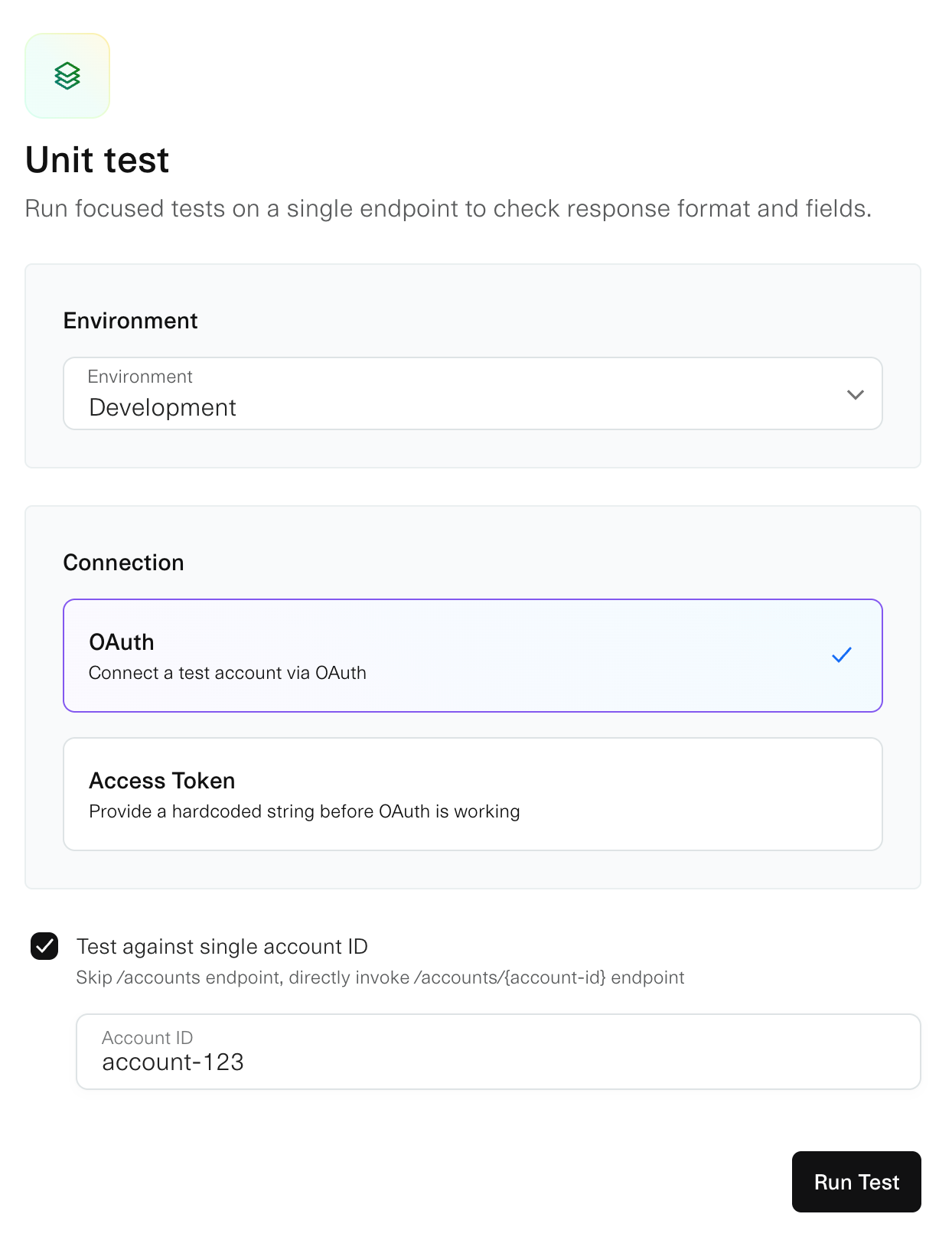
Tests fall into two categories:
- User-initiated: tests run manually in the Validator while user is present
- Batch: tests run automatically in the background on a set schedule (~every 6 hours) to verify refresh flows by requesting new access tokens and updating user data
Before production access:
- All required endpoints must pass validation
- Required endpoints depend on supported account types
End-to-end validation
End-to-end validation runs a complete validation flow across all endpoints and accounts. Use end-to-end validation when:
- You are ready for the full validation required before Production.
- You need to validate how multiple endpoints work together across a complete workflow.
Supported endpoints
The Validator supports the following FDX v6 endpoints:
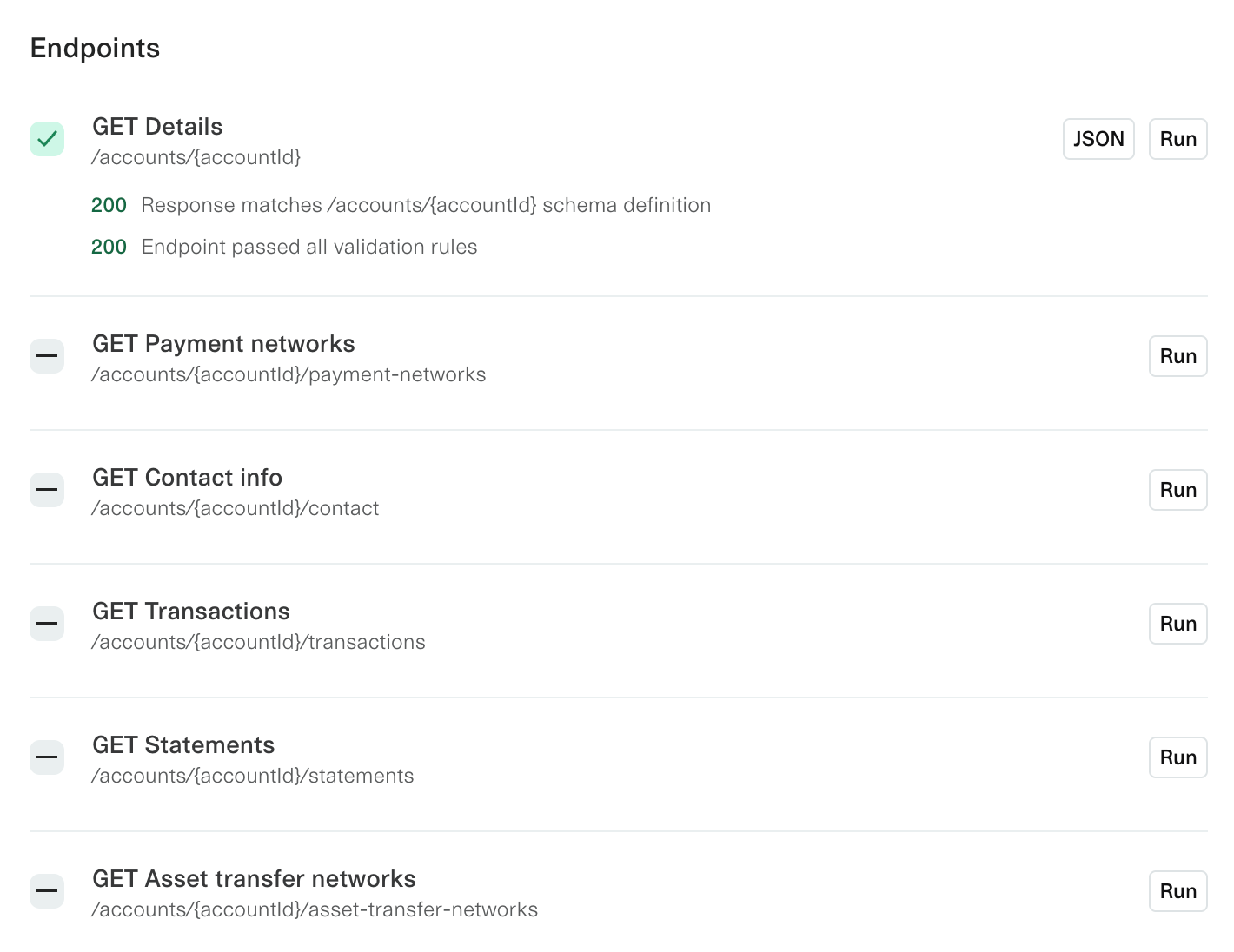
/accounts/accounts/{accountId}/accounts/{accountId}/payment-networks/accounts/{accountId}/contact/accounts/{accountId}/transactions/accounts/{accountId}/statements/accounts/{accountId}/statements/{statementId}/accounts/{accountId}/asset-transfer-networks
Understanding results
Each validation rule displays:
- Pass/Fail status
- Validation message explaining what was checked and why it failed
Example messages:
- Schema: "Field X is required by FDX v6."
- Plaid-specific: "
accountMaskmust match last 4 digits ofaccountNumber."
Use these messages to fix your API responses, then re-run the specific endpoint or account immediately without rerunning the entire validation.
What gets validated
FDX schema validation ensures your JSON matches the FDX contract for that endpoint.
Plaid-specific validation rules verify that data can flow through Plaid's production API successfully. These checks validate the fields that Plaid extracts and uses for each product, ensuring your FDX responses contain the data structure Plaid expects.
The Validator performs the same checks as Plaid's production data extraction, including:
- Access token validity: Tokens must be active and not expired
- Date range formatting: Start and end dates must be in
YYYY-MM-DDformat with start date before end date - Required field presence: Each product validates its core fields are present and properly formatted
- Data structure: Response objects match expected Plaid API schemas
For example, when validating /accounts/{accountId}/transactions, the Validator checks:
- Transaction
name,amount, anddatefields are present - Amounts are numeric and properly formatted
- Pagination works correctly
Validation scope: Only 200 responses are rule-validated. Non-200 responses show the failed call details instead.
Multi-institution testing
For platforms managing multiple institutions, select the specific institution you want to test from the institution dropdown. Tests then behave the same as for a single Data Partner.