App2App
Enable seamless mobile authentication for users who have your app installed
Is App2App right for you?
Implement App2App if:
- You have a mobile banking app (iOS or Android)
- Users frequently link accounts from their phones
- You want to reduce authentication friction
- You can support deep linking and in-app OAuth flows
Impact: App2App improves mobile conversion rates up to 15% through biometric login and seamless user flow.
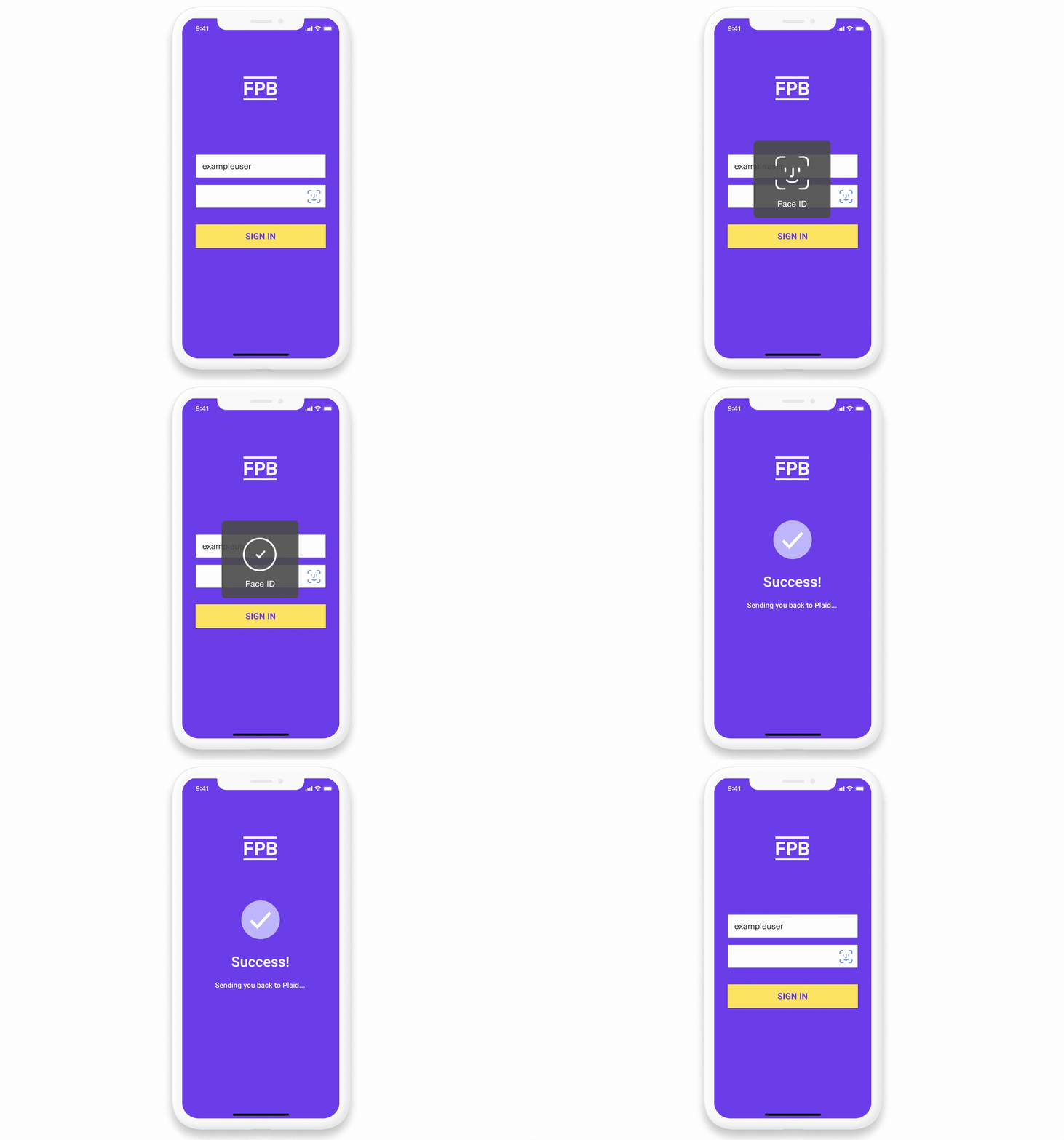
How App2App works
App2App makes mobile authentication faster and smoother. If your users already have your mobile app installed, they can authenticate there instead of using a mobile browser.
The App2App flow:
- User selects your institution in Plaid Link
- Plaid detects App2App support and checks for your app on the device
- If installed, Plaid redirects to your deep link URL
- Your mobile app opens and parses the OAuth parameters from the deep link
- User authenticates in your app (using biometrics, credentials, or existing session)
- Your app generates an authorization code and redirects back to Plaid
- Plaid completes the linking and returns the user to the originating app
Set up deep link URLs
Configure HTTPS URLs that launch your app when users click them (if they have it installed). Fall back to the mobile web page if the app's not there (or if they're on desktop).
Platform-specific guides:
- iOS: Universal links
- Android: App Links
Use only HTTPS URLs, not custom schemes (such as bankapp://). HTTPS ensures compatibility with both app and browser fallback.
Build the in-app authentication flow
Your mobile app needs to handle OAuth authorization natively.
Implementation approaches
Native authentication (recommended): Users authenticate fully inside your app. After authentication, generate the authorization code and redirect back to Plaid.
Embedded web view (alternative): Start authentication in-app, then complete it via embedded web view. Some UX trade-offs, but simpler implementation.
Parse OAuth parameters from the deep link
When Plaid launches your app, the deep link includes standard OAuth parameters. Your app must parse these:
https://yourbank.com/mobile_app?
  response_type=code
  &client_id=plaid-client-id
  &redirect_uri=https%3A%2F%2Fcdn.plaid.com%2Flink%2Fv2%2Fstable%2Foauth.html
  &state=oauth-state-id
  &scope=openid%20offline_access
Required parameters:
| Parameter | Description |
|---|---|
response_type | Always code |
client_id | The client ID you issued to Plaid |
redirect_uri | Where to send the authorization code (Plaid's OAuth handler) |
state | Opaque state value to include in your redirect |
scope | Requested scopes (e.g., openid offline_access) |
code_challenge / code_challenge_method | Optional, if you're using PKCE |
Redirect back to Plaid
After successful authentication, redirect the user to Plaid with the authorization code:
https://cdn.plaid.com/link/v2/stable/oauth.html?code=AUTH_CODE&state=STATE_IDInclude the state parameter exactly as received. Plaid will validate it and complete the OAuth flow.
Provide URLs to Plaid
Provide two URLs to your Plaid contact:
- App2App deep link URL - For native mobile flow (e.g.,
https://yourbank.com/mobile_app) - Web authorization endpoint - From your
.well-known/openid-configuration(fallback for browser)
This allows Plaid to control the user path and isolate any issues that may arise (for example, if a specific app incorrectly implements the App2App flow).
Handle fallback to the browser
If the user doesn't have your app installed, the OS opens the deep link in a browser instead. Detect these browser-based deep link requests on your server and redirect them to your standard OAuth authorization endpoint (as specified in the .well-known/openid-configuration endpoint).
The OS controls fallback routing. Plaid doesn't decide whether to use the app or the browser. Make sure your deep link URL is publicly accessible so browser fallback works.
Implementation checklist
- Deep link URLs configured (iOS Universal Links and/or Android App Links)
- In-app OAuth authentication flow built
- Authorization code generation working in-app
- Redirect back to Plaid working correctly
- Fallback to web flow tested
- Both redirect URLs provided to Plaid
- Testing complete on iOS and Android